PressReader: News & Magazines
- 4.7
- Rating
- 10.00M
- Installs
- Free
- Price

 Analysis by App-foxy
I approached PressReader as someone who wanted a practical way to browse newspapers and magazines without switching between a long list of separate publisher apps. It is a free News & Magazines app from PressReader Inc., aimed at readers who like having many publications gathered in one place. The headline promise is broad, but the real question is whether that breadth makes everyday reading easier or simply creates another crowded news feed.
After spending time with it, my answer is fairly positive, with one important qualification: this is most useful when you already know what kinds of publications you want to follow. If you enjoy exploring international newspapers, comparing coverage, or keeping several magazine interests together, the app can become a convenient reading shelf. If you only want one newspaper, a fast stream of breaking headlines, or completely free access to every article, the experience may feel less straightforward.
What to expect from PressReader
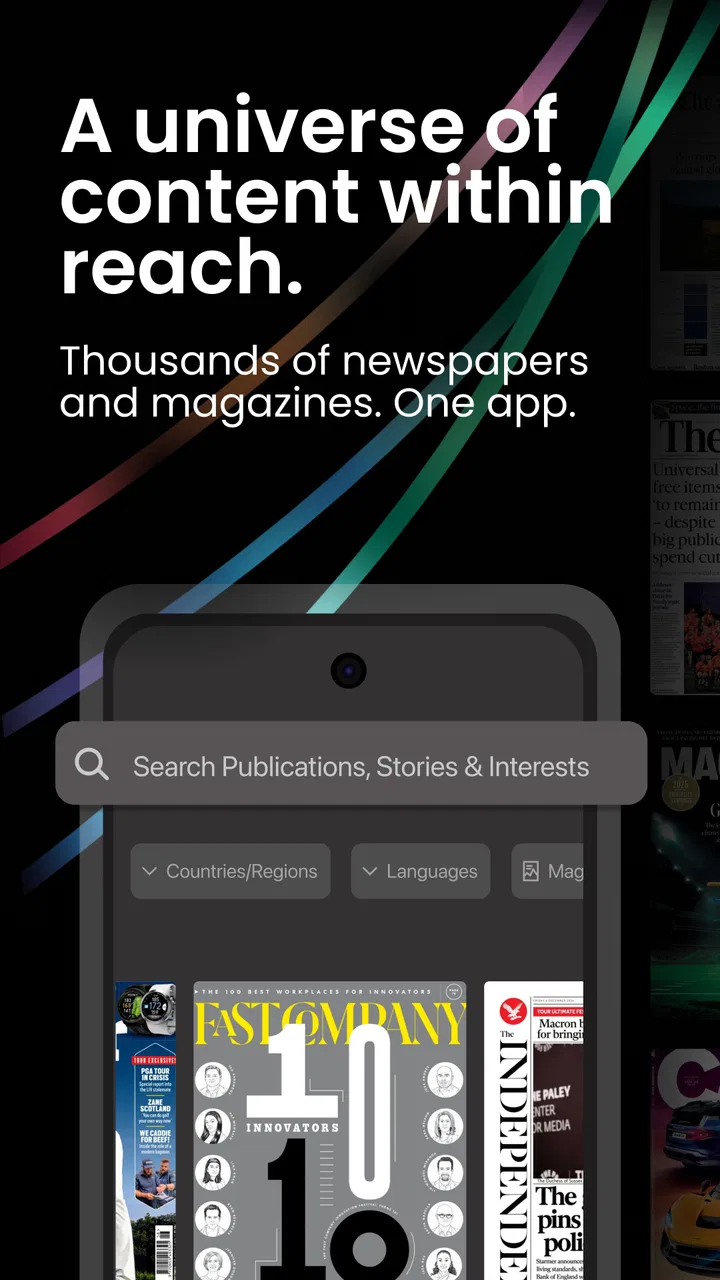
The app’s main appeal is its scale. PressReader presents access to more than 7,000 newspapers and magazines from around the world, so it feels closer to a digital newsstand than to a single publication. That distinction matters. You are not simply opening an app and receiving one editor’s selection of stories; you are choosing among many titles, editions, and subjects.
You May Also Like

 Blood Strike: 2.5 Anniversary
Blood Strike’s Loadouts Turn Every Drop Into a Tactical Gamble
A close look at Blood Strike’s custom loadouts: how fast access to signature weapons reshapes its battle royale rhythm, rewards preparation, and narrows the gap between fights.

 Pandora - Music & Podcasts
Pandora’s Music Is Easy to Start, but Harder to Recover
Pandora’s strength is its low-effort path from a seed to a station. Its weak spot is how much confidence it asks you to place in connection, setup, and quiet recovery.

 8 Ball Pool
 Is Built on Rivalries, Rematches, and Routine
A close look at the rivalries, rematches, shared routines, and unanswered safety questions that turn a quick pool match into a persistent mobile community.

 Samsung Music
’s Quiet Strength Is Playing What You Already Own
Its reach comes less from spectacle than from dependable access to a personal library. That simplicity is both the app’s strongest retention engine and its ceiling.

 AccuWeather: Weather Radar
AccuWeather Review: A Quick, Clear Forecast for Everyday Decisions
For everyday plans, the best forecast is the one you can understand quickly. AccuWeather makes rain timing, radar, and local conditions easy to act on, with a few trade-offs.

 Hill Climb Racing
Why Hill Climb Racing Still Turns Crashes Into One More Run
A tiny car, a bumpy hill and one more upgrade: Hill Climb Racing keeps resurfacing because its simple chaos makes every near-miss feel personal.
More From Our News Desk
View All News


That variety is useful for several kinds of readers. I can see it working well for someone who follows news from more than one country, a commuter who alternates between a daily paper and weekend magazines, or a curious reader who wants to compare how different publications approach the same broad topic. It is also handy for people who travel or live away from the place where their preferred newspaper is published.
The interface is best understood as a combination of discovery area and personal library. The first few minutes can feel busy because a large catalog naturally offers more choices than a single-title app. My advice is not to judge it by the first screen alone. The experience improves once you decide which publications deserve a place in your regular routine.
PressReader has been available since January 10, 2011, and its maturity shows in the basic idea: it is built around publications rather than around a constantly changing social feed. The current Android version is 7.4.260401, and the app supports Android 7.0 or later. That makes it accessible on a wide range of devices, although the quality of reading will still depend on your screen size and how comfortable you are with newspaper-style layouts.
The app is free to install, but that should not be confused with unlimited free reading. PressReader includes in-app purchases ranging from $0.49 to $209.00 per item. In practical terms, you should expect that access can vary by publication or reading arrangement. I would explore the catalog first, identify the titles that matter to me, and only then decide whether paying makes sense.
The store lists a Teen content rating, which fits an app that gathers general news and magazine material rather than presenting itself as a children’s reading space. The service has also reached over 10 million installs and holds a 4.5 average from around 42 thousand ratings, a useful sign that the overall concept works for a substantial audience. Those figures do not remove the need to check whether your preferred titles suit your needs, but they suggest this is an established reading platform rather than an experimental catalog.
Who will get the most from it
I would recommend it first to readers who value breadth over a perfectly focused feed. A person who wants local reporting, international coverage, business reading, lifestyle magazines, and occasional special-interest titles can benefit from having one place to look. The app is also a sensible option for readers who dislike installing a separate app for every publication they follow.
It is less convincing for someone who has already built a habit around one publisher’s app and wants the fastest possible route to that publisher’s newest alerts. A dedicated newspaper app may offer a more focused home screen, clearer publisher-specific navigation, or a stronger sense of editorial identity. PressReader’s strength is range, not necessarily the deepest single-publication experience.
Getting through setup without feeling lost
My suggested first step is simple: install the app, open the catalog, and resist the temptation to browse everything. Start by searching for one publication you already recognize. That gives you a concrete test. If you can find a title that matters to you and understand how its issues or articles are presented, you will know much more about the app than you would from scrolling through recommendations.
Next, choose a small reading group rather than trying to create a complete media library immediately. I would begin with one daily newspaper, one magazine, and perhaps one publication from another region. This mix tests three different strengths: routine news, longer-form reading, and international discovery. It also keeps the home experience manageable.
Look carefully at the difference between finding a publication and opening its content. A title may be visible in the catalog, while the reading access or purchase choice appears only when you select an issue or article. That is not a reason to abandon the app, but it is a reason to slow down before assuming that every item in the catalog is included in the free experience.
For a first-time user, the most important setup decision is not a technical one. It is deciding what kind of reader you are. If you want a daily habit, organize around a few dependable titles. If you want a research tool, keep a wider range of publications available and use the catalog to compare perspectives. If you only want occasional browsing, avoid building a large collection that turns the app into another source of clutter.
I also recommend testing the reading view with a full article or a complete page rather than judging it from a thumbnail. Newspapers can be designed for a page-based experience, while phones are naturally suited to scrolling. The best way to discover which style feels comfortable is to read for several minutes, move between stories, and see whether you prefer the original layout or a more streamlined article view when one is available.
Your first meaningful success
A good first success is not merely opening a publication. It is completing a small reading session that you would genuinely repeat. For example, I would select a familiar newspaper, read one article from it, then save or follow that publication if the app’s available controls make that possible. After that, I would open a magazine and compare the experience. This quickly reveals whether PressReader fits my habits or whether I prefer a single-title alternative.
Another useful test is to search for a subject rather than a publication. Suppose I am interested in travel, technology, or a regional issue. I can use the catalog to see whether the range of titles helps me discover material I would not normally encounter. The benefit here is not just having more content; it is being able to approach reading through both familiar brands and broader interests.
For an everyday scenario, imagine a Saturday morning when I want a newspaper but also have time for a magazine feature. With a traditional approach, I might open a publisher app, check whether the issue is available, then move to another app for the magazine. PressReader can reduce that switching if both titles are available in the way I need. I can begin with current news, move into a longer article, and keep the whole session inside one reading environment.
That workflow is especially useful when my interests change from day to day. On one morning I may want local reporting; on another, international coverage or a specialist magazine. The catalog gives me more flexibility than a fixed single-publication subscription, although that flexibility comes with the responsibility of managing my choices and checking access before I build a routine around a title.
One non-obvious advantage is comparison. I do not have to treat the first article I find as the only version of a story. Reading across publications can reveal differences in emphasis, vocabulary, and depth. I would not use this as a substitute for careful fact-checking, but it is a valuable habit for anyone who wants to understand how editorial choices shape the presentation of news.
Where new users commonly hesitate
The largest source of confusion is likely to be the relationship between the free app and paid content. Because PressReader itself costs nothing to download, a first-time user may expect the entire catalog to be freely readable. The in-app purchase range makes clear that payment can be part of the experience. I would treat the free installation as an invitation to explore, not as a promise that every newspaper and magazine is included without charge.
A second point of friction is the size of the catalog. More choice does not automatically mean better discovery. If I open the app without a reading goal, I can spend more time looking at titles than actually reading. The cure is to create a short list based on real habits: publications I already trust, subjects I genuinely follow, and one or two areas I want to explore.
There is also a difference between wanting news and wanting publications. A conventional news aggregator is usually designed to collect headlines from multiple sources into one fast-moving stream. PressReader is more publication-centered. That makes it better for readers who care about the identity and structure of a newspaper or magazine, but less ideal for someone who only wants a quick summary of the latest events.
Compared with dedicated publisher apps, PressReader offers convenience through variety. The trade-off is that the experience may feel less tailored to one publication’s special features or editorial rhythm. Compared with reading printed editions, it is more portable and easier to keep several titles together, but some readers will still prefer the physical sense of a newspaper or magazine. Compared with browser reading, the app provides a more deliberate reading destination, though a browser may be quicker when I only need one article from a known source.
Another practical question is whether a phone is enough for comfortable reading. It can be, especially for individual articles, but full newspaper pages and magazine layouts may feel cramped on a small display. I would use a phone for short sessions and casual browsing, while a larger screen would make longer reading more pleasant. This is not a flaw unique to PressReader; it is a natural trade-off of bringing page-oriented publications to mobile devices.
How to turn browsing into a useful routine
Once I have found a few worthwhile titles, I would separate discovery from regular reading. Discovery is where I browse broadly and try unfamiliar publications. Regular reading is where I return to a smaller group at predictable times. Keeping those purposes distinct prevents the catalog from becoming overwhelming and makes it easier to notice whether the app is actually saving me time.
A helpful workflow is to choose one “anchor” publication for the day and use the rest of the catalog selectively. The anchor gives me a dependable starting point, while the additional titles are there for a second perspective or a different subject. This is more effective than opening every recommendation, because it turns PressReader into a reading plan rather than an endless shelf.
I would also use the app as a supplement to, not a replacement for, my most trusted sources. When a story matters, I can compare coverage across publications and then return to the source with the clearest reporting. The app is particularly good at making that comparison convenient, but convenience should not encourage passive reading.
For people who share devices or manage reading for a household, I would keep expectations realistic. A broad catalog can serve different interests, but each reader may need a separate approach to choosing publications and handling purchases. Before paying for anything, I would make sure I am selecting the intended title or issue and that the purchase matches the kind of access I actually want.
Readers concerned about cost should begin with a trial-like exploration of the free parts of the experience and make a list of titles they would genuinely read. The upper end of the listed purchase range is substantial, so impulse buying is not a good strategy. PressReader makes more sense financially when I know which publications I will return to, rather than when I am paying simply because a title looks interesting in the moment.
When I would choose something else
I would skip PressReader if my only goal were instant breaking-news alerts from one trusted publisher. In that situation, the publisher’s own app or a focused news service would probably be quicker and less distracting. I would also look elsewhere if I wanted a fully free, headline-first experience with no need to think about individual publication access.
I would hesitate to make it my main reading tool if I strongly prefer one magazine’s custom features, community, or tightly designed subscription system. A dedicated app can provide a more intimate relationship with that publication. PressReader’s advantage is the ability to move among many titles, so its value falls when I have no interest in moving beyond one.
On the other hand, I would choose it over several separate apps when my reading is deliberately mixed. It is a strong candidate for an international reader, a frequent traveler, a media enthusiast, or anyone who wants newspapers and magazines to coexist in one mobile library. The app is also useful when I want to investigate a subject through different publications instead of accepting a single feed’s selection.
My recommendation after using it
PressReader is a capable choice for people who want a wide publication catalog and are willing to spend a little time shaping it around their interests. I like the idea of one app that supports both habitual reading and occasional discovery, and the experience becomes much more satisfying once I stop treating the entire catalog as a checklist.
The main caution is to understand the access model before committing money or building a daily routine around a particular title. The free download lowers the barrier to exploration, but the listed in-app purchases mean that serious reading may involve paid choices. I would search first, read enough to judge the presentation, and only then decide whether a purchase offers real value.
For a first-time user, the path is reassuringly simple: find one familiar publication, read one complete piece, add only a few titles, and compare the result with the publisher apps or news feeds already on your phone. If that small test makes your reading more organized, PressReader is worth keeping. If it leaves you wanting a faster, narrower, or entirely free stream, a more focused alternative will probably suit you better.
My final view is that PressReader works best as a flexible digital newsstand rather than as a generic news ticker. Its breadth is its defining strength, while the same breadth creates the need for curation and attention to access details. Used deliberately, it can make a varied reading habit far easier to manage. Used without a plan, it can become a large catalog that I browse more than I read.
FAQs for PressReader: News & Magazines
01What is PressReader and how does it work?
PressReader is a digital platform that provides access to thousands of newspapers and magazines from around the world. Users can read publications on their devices, download issues for offline reading, and customize their reading experience with features like text-to-speech and article translation. It's ideal for staying informed on global news and enjoying popular magazines.
02Is PressReader free to use?
PressReader offers both free and paid options. Users can access some content for free, but premium publications and features require a subscription. Libraries, hotels, and airlines often partner with PressReader to provide free access to their customers. Check for available promotions or partnerships before subscribing.
03Can I download magazines and newspapers for offline reading?
Yes, PressReader allows users to download full issues of newspapers and magazines for offline reading. This feature is particularly useful for those who travel frequently or have limited internet access. Simply download the desired publications when online, and access them anytime without an internet connection.
04What devices and platforms are supported by PressReader?
PressReader is available on multiple platforms, including Android, iOS, Windows, and macOS. The app can be downloaded from the Google Play Store, Apple App Store, or accessed via a web browser. This wide compatibility ensures a seamless reading experience across various devices.
05How can I personalize my reading experience on PressReader?
PressReader offers various personalization options, allowing users to tailor their experience. You can create a personalized feed by selecting preferred newspapers and magazines, set up notifications for new issues, and use features like text-to-speech and translation. These tools help enhance your reading experience and ensure you never miss important updates.
Pros
- Vast selection of global publications.
- Offline reading available with downloads.
- User-friendly interface for easy navigation.
- Personalized recommendations improve over time.
- Supports multiple languages for diverse audiences.
Cons
- Requires subscription for full access.
- Occasional app crashes reported by users.
- Limited free content without subscription.
- Some features need stable internet connection.
- Ads may interrupt free users frequently.

PressReader: News & Magazines
Gallery